
SpongeBob SquarePants Minecraft Skins
Browse the best SpongeBob SquarePants Minecraft skins: yellow sponge texture, brown square pants, tie, and Krusty Krab crew looks. Download SpongeBob skins for Java and Bedrock.
18 skins total, page 1 of 1
SpongeBob SquarePants is Nickelodeon’s eternally optimistic fry cook from Stephen Hillenburg’s underwater sitcom—equal parts slapstick, musical number, and meme factory. In Minecraft, his bright yellow sponge surface, giant blue eyes, and red necktie pop against dirt browns and ocean blues, making him a hilarious default for casual servers and minigame lobbies. This reference index tracks 17 SpongeBob-themed skins, from show-accurate square silhouettes to player-friendly “humanoid SpongeBob” hybrids that fit standard arm animations better.
If you want your avatar to broadcast pure goofy energy while you build underwater bases or troll friends with laugh emotes, few cartoon icons read faster at a glance than SpongeBob.
Browse 18 SpongeBob SquarePants Minecraft Skins

SpongeBob SquarePants
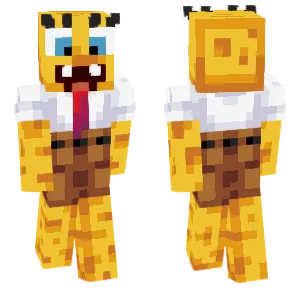
SpongeBob
warden69

SpongeBob

spongebob

🧽SpongeBob SquarePants

Fancy spongebob

SpongeBob SquarePants

🧽SpongeBob SquarePants

🧽SpongeBob

SpongeBob Meme

Buff SpongeBob

Spongebob Squarepants
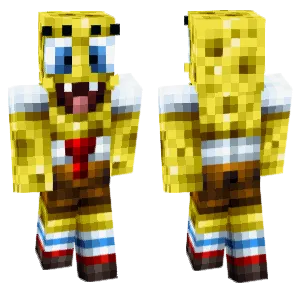
SpongeBob

SpongeBob

🧽SpongeBob SquarePants🧽
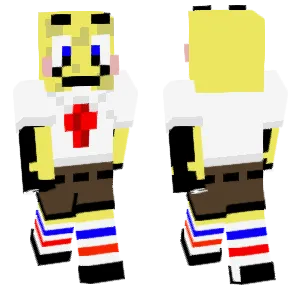
SpongeBob SquarePants
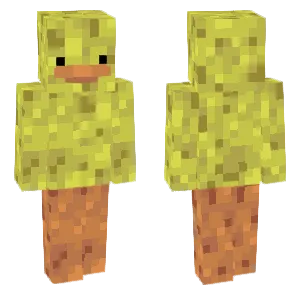
Sponge Duck
What Makes a Good Minecraft Skin
Believable SpongeBob skins lean into shape language and restraint:
- Sponge texture: Light yellow base with scattered green-brown pore dots; avoid noise that reads like disease—space pores evenly.
- Square pants: Brown rectangular pants block with black belt line and silver buckle center—symmetry matters for the joke.
- White shirt + red tie: Crisp white torso wedge and a red tie knot pixel cluster immediately under the collar.
- Eyes and lashes: Large blue irises with three eyelash spikes each—classic show rule; pupils should stay friendly, not uncanny.
- Teeth smile: Two front teeth squares on the mouth row—tiny detail that sells identity.
Popular Minecraft Skin Styles
Community SpongeBob skins often remix these ideas:
- Classic Krusty Krab cook: Hat optional as outer layer; clean tie and spatula color hints on hand pixels.
- Bubble-blowing / happy pose skins: Slightly raised arm highlights for screenshots—still survival-safe.
- Humanoid hybrid: More human limbs with sponge-textured head—helps players who dislike full-blocky proportions.
- Jellyfishing gear: Glass bowl helmet hints and pink net colors for adventure maps.
- Meme-inspired: Bold outlines referencing internet edits—know your server rules before wearing edgy joke variants.
About SpongeBob SquarePants
*SpongeBob SquarePants* premiered in 1999 and became a cross-generational cultural object—quoted in classrooms, remixed in games, and celebrated for absurdist comedy that hides surprisingly clever timing. Hillenburg’s marine biology background shows in setting details, even when the humor is pure cartoon physics.
Minecraft’s aquatic updates and coral builds pair naturally with SpongeBob cosplay, especially on creative servers building Bikini Bottom facsimiles.
Because SpongeBob’s palette is loud, he also works as a friendly counterpoint to grimdark skins—useful for event hosts who want visible team captains.
How to Choose the Best Minecraft Skin
Pick SpongeBob skins with brightness and tone checks:
- Pore density: Too many dots look gritty; too few looks like plain yellow Steve—aim for readable sponge.
- Eye spacing: Wide-set eyes are canonical; narrow eyes drift into parody creepypasta territory.
- Tie alignment: Off-center ties break the uniform illusion—inspect front torso at 1:1 pixel zoom.
- Shader washout: Neon yellow blows out under bloom; slightly desaturated yellow survives RTX-style packs better.
- Server appropriateness: Some meme skins push adult humor—pick all-ages designs for kid realms.
Tips for Minecraft Skin Creators
Start as a literal square head concept then taper jaw corners one pixel if needed for Alex compatibility.
Freckle/pore rule: Scatter pores on a separate pass with a brush size of 1, avoiding clusters near eyes.
Tie uses two reds: Shadow red on left fold, highlight on right fold—flat tie reads like a red bar error.
Teeth are two white pixels separated by one mouth shadow pixel—classic recipe.
Steve synergy: If you build crossover hubs, test SpongeBob next to a Steve skin to ensure yellow does not match default shirt tones oddly.