
Monkey D. Luffy Minecraft Skins
Browse the best Monkey D. Luffy Minecraft skins: straw hat, red vest, scar, and Gear looks from One Piece. Download Luffy skins for Java and Bedrock.
29 skins total, page 1 of 1
Monkey D. Luffy, captain of the Straw Hat Pirates, is the heart of Eiichiro Oda’s *One Piece*—and one of the most recognizable heroes in manga history. In Minecraft, his simple color story (straw gold, red, blue denim) and iconic scar under the eye translate surprisingly well to the 64×64 format, which is why you will find 29 Luffy-oriented skins in this reference collection spanning classic East Blue outfits, time-skip designs, and battle forms.
Whether you are sailing a player-built Grand Line, staging marine raids on a factions server, or just want a cheerful default that still screams *shonen* protagonist, a good Luffy skin keeps the straw hat readable and the grin unmistakable.
Browse 29 Monkey D. Luffy Minecraft Skins

Luffy Gear 5

.+ Monkey D. Luffy +.

Luffy time

Monkey D. Luffy
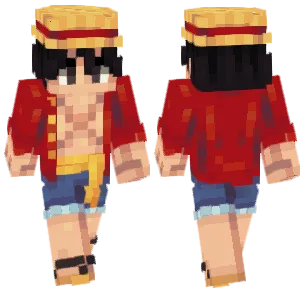
Luffy
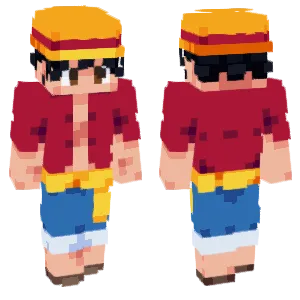
luffy
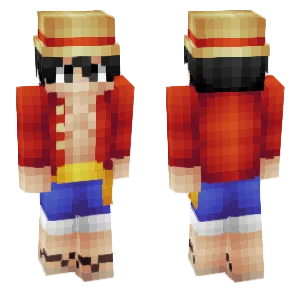
Monkey D. Luffy
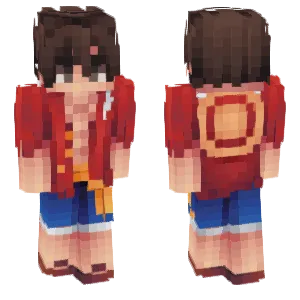
Luffy🏴☠️

Monkey D. Luffy

Luffy

Luffy

Monkey D. Luffy

. fluffy snow .

Monkey D. Luffy

Monkey D. Luffy

Luffy

Monkey D. Luffy

luffy

Monkey D. Luffy

monkey d. luffy

Luffy

*+Fluffy Pancakes with whipped cream and choco stars+*

Luffy put on your clothes

Luffy

Monkey D. Luffy

Monkey D. Luffy
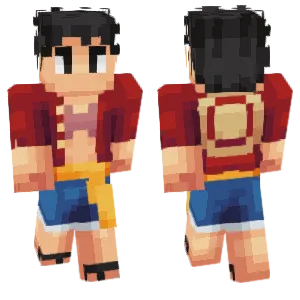
Luffy's brother
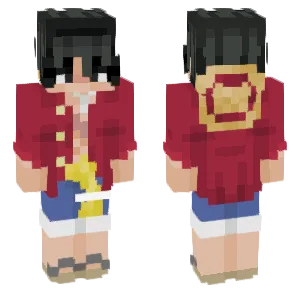
.+ Monkey D. Luffy +.
Luffy
What Makes a Good Minecraft Skin
Memorable Luffy skins double down on Oda’s bold shapes:
- Straw hat: A wide, warm yellow brim with a red ribbon band is non-negotiable; shading on the crown suggests woven texture without noisy patterns.
- Scar stitch: The curved mark under the left eye should be two or three dark pixels max—enough to register, not enough to look like a beard.
- Open shirt / vest: Pre–time-skip red short-sleeve open shirt; post–time-skip yellow sash and closed red shirt variants are both common—pick the era you want to roleplay.
- Short black hair: Spiky tufts under the hat brim; good skins show a little forehead and hair peeking past the hat’s edge.
- Sandals and denim: Cuffed shorts and simple blue tones sell the adventurer look; optional Haki overlays can add black forearm pixels for advanced forms.
Popular Minecraft Skin Styles
Community favorites tend to track major story beats:
- East Blue / classic Luffy: Straw hat, red open shirt, scar—ideal for nostalgia and the cleanest read at distance.
- Post–time-skip Luffy: Chest X scar, yellow sash, more structured coat layers—popular with fans who started the anime in HD eras.
- Gear Second / Third hints: Pinkish skin flush or steam-like highlights on arms; subtle enough for survival play, flashy enough for screenshots.
- Gear Fourth Snakeman / Boundman: Bulkier proportions, tribal flame patterns, or cloud scarf details—choose these for minigame arenas where exaggeration helps.
- Wano yukata / raid outfits: Floral patterns and tied sash blocks for players building Japanese-inspired ports.
About Monkey D. Luffy
Luffy sets out to become Pirate King by finding the legendary One Piece, gathering a crew of specialists, and challenging the World Government’s contradictions along the way. Oda’s decades-long serialization means Luffy has worn dozens of outfits, yet the straw hat and smile remain constant visual anchors—perfect DNA for Minecraft skins that need instant recognition.
The character’s appeal is emotional as much as visual: stubborn kindness, appetite for food and adventure, and a refusal to sacrifice crewmates mirror how many players see their own worlds—messy, ambitious, and co-op first.
Cross-media success—anime, films, games—keeps Luffy in the global conversation, so Minecraft hubs that run anime events or pirate-themed seasons almost always see demand for fresh takes on his look.
How to Choose the Best Minecraft Skin
Pick a Luffy skin that matches how you actually play:
- Hat priority: If the brim is too thin, it vanishes under helmets; thicker brims survive gameplay UI.
- Era consistency: Mixing East Blue hair with Wano robes confuses fans—match hat, scar, and shirt style.
- Saturation: Reds should lean scarlet, not brown; blues should be denim-mid, not navy-black.
- Face pixels: Luffy’s wide grin is two-three white rows; squint tests help you avoid “grimace” reads.
- Slim vs. bulk: Gear Fourth skins trade slim silhouettes for power—fine for PvP showboating, less ideal for parkour maps.
Tips for Minecraft Skin Creators
Start with the hat circle. Build the brim as a clear ellipse in top-down view; everything else hangs from that geometry.
Scar placement is one pixel south of the eye. Shift tests matter—move it one pixel until it reads curved, not vertical.
Separate shirt and skin tones sharply. Luffy is shirtless under the open vest in many arcs; accidental flesh-colored vest reads as a texture bug.
Use the outer layer for straw texture. Single-pixel “notches” on the hat edge suggest weave without breaking the brim line.
Animation-aware arms. When the player swings, red sleeves should still align with shoulder seams—preview the walking animation in your editor.