
Joker Minecraft Skins
Browse the best Joker Minecraft skins featuring the Clown Prince of Crime's purple suit, green hair, and unsettling grin. Download high-quality Joker skins for Java and Bedrock.
15 skins total, page 1 of 1
The Joker is Batman's most famous nemesis and one of the most recognizable villains in all of fiction—and that makes him a standout choice for Minecraft players who want a dramatic, theatrical look. His high-contrast palette of purple, green, and white reads clearly on blocky avatars, and his exaggerated smile and wild hair silhouette are easy to spot across a crowded server. Whether you are staging Gotham roleplay, pairing with a Batman skin for friendly rivalry, or simply enjoy chaotic energy in your cosmetics, a Joker skin delivers instant personality.
With around fifteen curated skins in the catalog, you can lean into classic comic colors, gritty film-inspired realism, or stylized interpretations that still feel unmistakably like the Clown Prince of Crime. The character's visual language—formal suit lines, chalky skin tones, and that signature grin—maps surprisingly well to Minecraft's limited resolution when designers focus on readable shapes and bold accent colors.
Browse 15 Joker Minecraft Skins
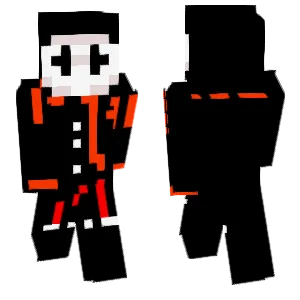
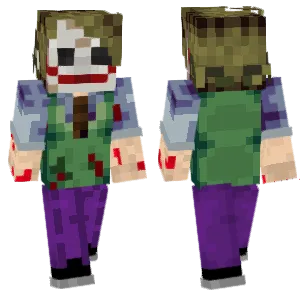
Joker

Joker
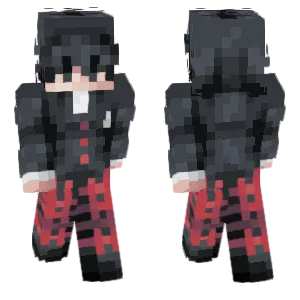
Joker
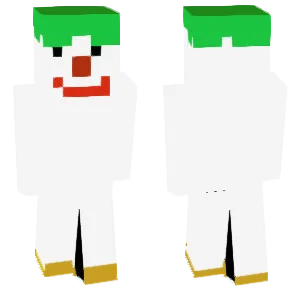
The Joker

Joker Tas
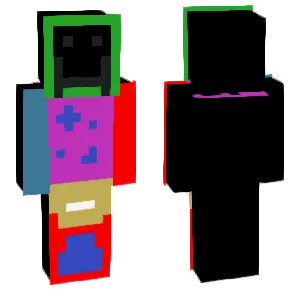
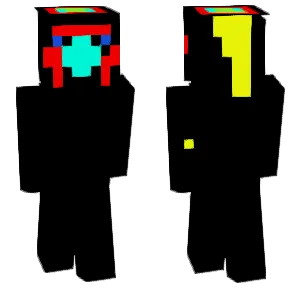

Joker
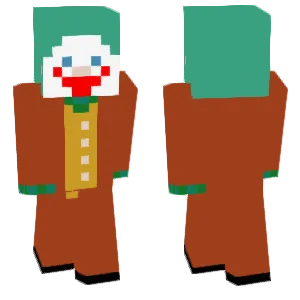
a joker

a joker
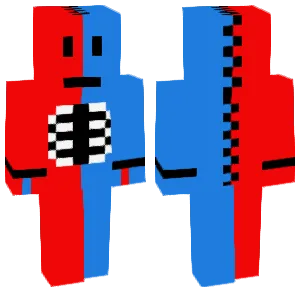
Joker 001
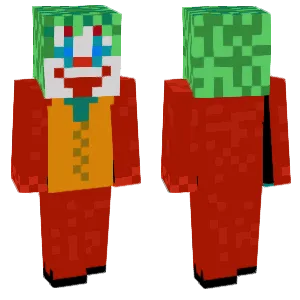
joker
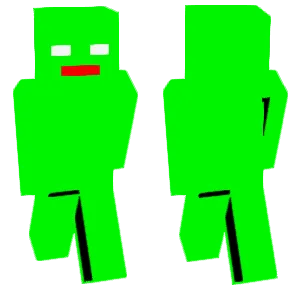
Joker him
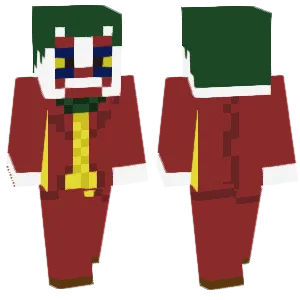
Joker
Simon
What Makes a Good Minecraft Skin
Strong Joker Minecraft skins emphasize a few non-negotiable identity markers:
- Green Hair: Whether neon lime or deeper forest green, the hair should dominate the top and sides of the head texture. Volume and messy spikes sell the "unhinged" energy better than a flat cap of color.
- White or Pale Face: The Joker's clown-white complexion contrasts sharply with dark eye sockets and red lips. Good skins use at least two skin tones to avoid a flat mask look.
- Red Grin: The exaggerated smile is the emotional center of the design. Look for a wide mouth shape, visible teeth or deep red lipstick lines, and symmetry that still reads as manic rather than tidy.
- Purple Suit: Jacket and trousers in purple (sometimes with teal or green vest accents) anchor the formal villain aesthetic. Shading on lapels and shoulders helps the suit read as clothing, not a solid block.
- Eyes: Black-rimmed eyes, piercing greens, or hollow shadows all work—consistency matters more than which film era you reference. Avoid generic human eyes that could belong to any skin.
- Accessories: Optional flower lapels, cards, or scars can add story beats, but keep them simple so they do not dissolve into noise at distance.
Popular Minecraft Skin Styles
Joker skins often echo specific eras while staying playable at 64×64:
- Classic Comic: Bright purple suit, vivid green hair, wide cartoon grin, and bold primary colors. Maximum readability and nostalgia.
- Heath Ledger Inspired: Smudged makeup, darker purples, stringy hair, and a more "damaged" facial texture. Popular for serious roleplay servers.
- Joaquin Phoenix / Arthur Fleck: Earthier suit tones, subtler makeup, and a more grounded silhouette for players who prefer drama over camp.
- Animated Series: Simplified shapes, cleaner lines, and exaggerated expressions that pop in Minecraft's art style.
- Suicide Squad / Modern Film: Tattoos, grill details, or silver chains appear in some interpretations—use sparingly so pixels remain legible.
- "Killing Joke" Red Hood Echo: Some skins nod to origin-story beats with a domed helmet or red accents for lore-savvy fans.
About Joker
The Joker debuted in Batman #1 (1940), co-created by Bill Finger, Bob Kane, and Jerry Robinson. Originally a murderous gangster with a permanent grin, he evolved into a chaotic trickster whose crimes test Batman's moral code as much as his detective skills. Unlike heroes with tragic-but-linear origins, the Joker thrives on ambiguity—multiple conflicting backstories reinforce the idea that he is less a person than a force of disorder.
Across comics, television, and film—from Cesar Romero's camp to Jack Nicholson's gangster flamboyance to modern psychologically grounded portrayals—the Joker remains a cultural mirror for society's anxieties about violence, mental health, and spectacle. That layered history is why players still reach for Joker skins: the character is never just a costume; he is a statement about chaos, performance, and confrontation with order.
In Minecraft communities, villain skins often pair with hero skins for events, PvP teams, or cinematic builds. The Joker's bold palette and expressive face make him one of the easiest major DC villains to recognize at a glance, which helps storytelling even when chat is silent.
How to Choose the Best Minecraft Skin
Use this checklist when comparing Joker skins:
- Silhouette test: Zoom out—do green hair and purple clothing still read, or do they merge into muddy blobs?
- Face legibility: The grin and eye makeup should survive motion blur during sprinting and combat.
- Suit structure: Seams, lapels, or a vest line help sell the "formal monster" contrast. A flat purple body can look like generic dyed leather.
- Palette discipline: Too many accent colors (orange, teal, gold) can fight each other. Pick one secondary accent and commit.
- Back view quality: Capes are uncommon, but coattails, jacket length, and hair volume should still look intentional from behind.
- Server tone: Campy bright skins read better in minigames; darker, smudged skins suit gritty roleplay—match the vibe you actually play.
Tips for Minecraft Skin Creators
For skin creators tackling the Joker:
Lock the palette early. Pick one purple (jacket), one green (hair), one off-white (face), and one deep red (mouth). Extra colors should earn their place.
Hair is sculpting, not coloring. Block out the silhouette of messy waves first; then add two highlight passes so the green has depth under different light levels.
The smile is a shape problem. Sketch the grin across the lower face pixels before detailing teeth. A wide arc with darker corners reads better than tiny lipstick lines.
Use gray-purple shadows on the suit. Pure black shadows on purple flatten; blue-gray or desaturated violet shadows keep fabric readable underground.
Eyes need intent. Decide if you want hollow sockets, vivid green irises, or heavy eyeliner—and push that choice far enough to survive multiplayer distance.
Avoid over-detailing scars. At Minecraft resolution, subtle lines disappear; one or two bold cues beat a busy face texture.
Test beside a Batman skin. If the contrast reads well side-by-side—purple vs. black-gray—you have succeeded as a Gotham pair designer.